> For the complete documentation index, see [llms.txt](https://tools.osintnewsletter.com/llms.txt). Markdown versions of documentation pages are available by appending `.md` to page URLs; this page is available as [Markdown](https://tools.osintnewsletter.com/osint-tools/apple-maps.md).
# Apple Maps
Tool Description : A digital mapping and navigation service (by Apple) providing maps, satellite imagery, street-level views, directions, traffic data, and business listings worldwide.
| **Apple Maps** | Q**uick Overview** |
| ---------------- | ----------------------------------------------------------------------------------------------------------------------------------------------------------------- |
| URL | |
| What it does | Helps users find locations, get directions, explore cities, view satellite imagery, and check real-time traffic conditions. |
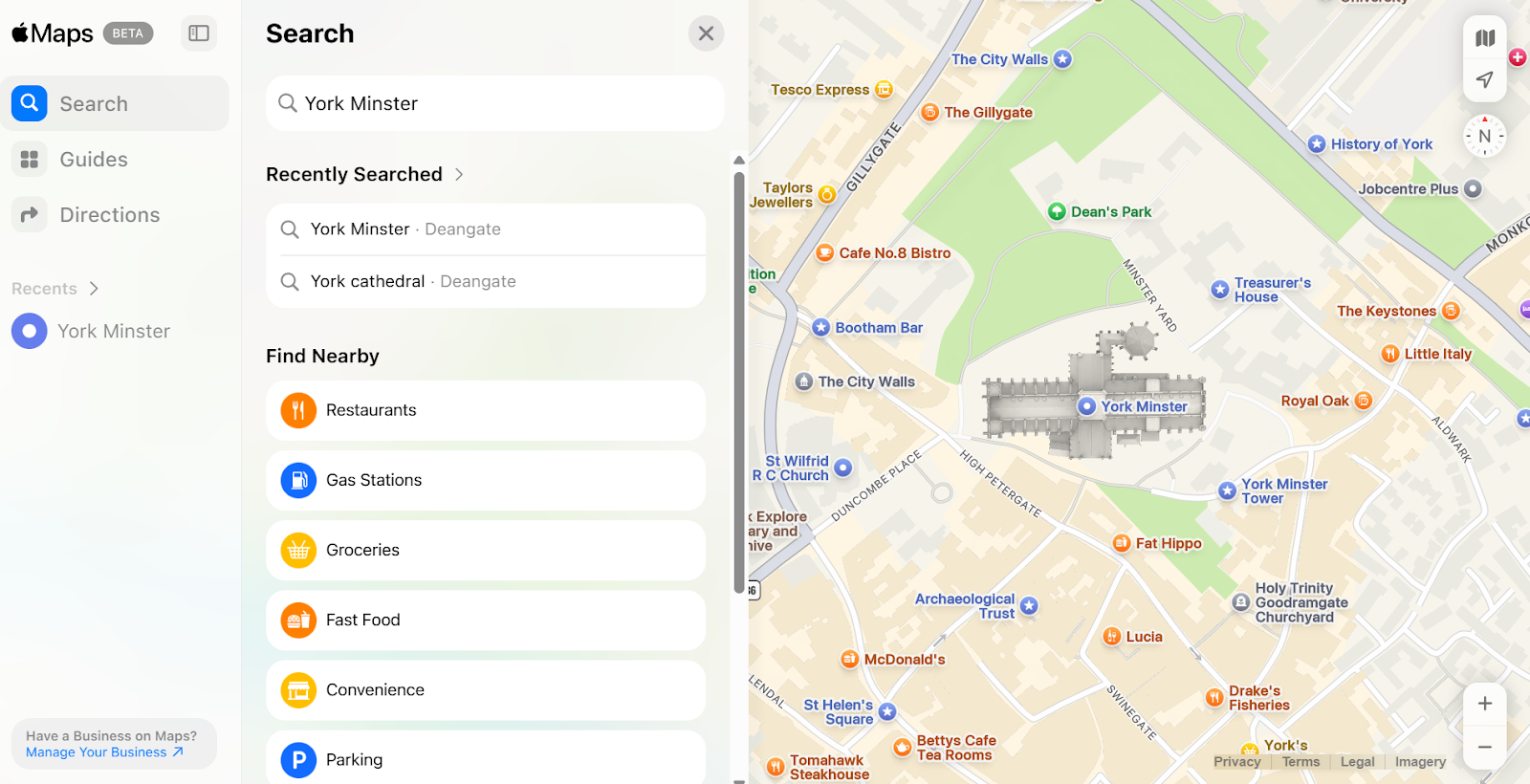
| How to use it | Open Apple Maps on an Apple device or visit the website. Search for a place, address, or business. Then view the map, satellite imagery, or street-level imagery. |
| Cost | Free |
| Account required | No |
| Cookies | Yes - anonymous session data & regional setting cookies. |
| Ownership | Owned and operated by Apple Inc. |
| Use in Reporting | Useful for verifying locations, examining street layouts, checking business existence, analysing satellite imagery, and confirming distances or travel routes. |
### **What does Apple Maps do?**
Apple Maps is a digital mapping service that provides global maps, satellite imagery, street-level “Look Around” views, and route planning. It allows users to explore locations worldwide, check directions, and view satellite or street-level imagery helping confirm locations, analyse surroundings, and cross-check visual details.
**The lowdown:** Apple Maps is a free, easy-to-use mapping tool built into Apple devices, also available via the web. It works best when cross-referenced with other mapping tools to confirm findings.
### How to Use:
**1. Search for a Location by entering an address, coordinates, or place name in the search bar.**
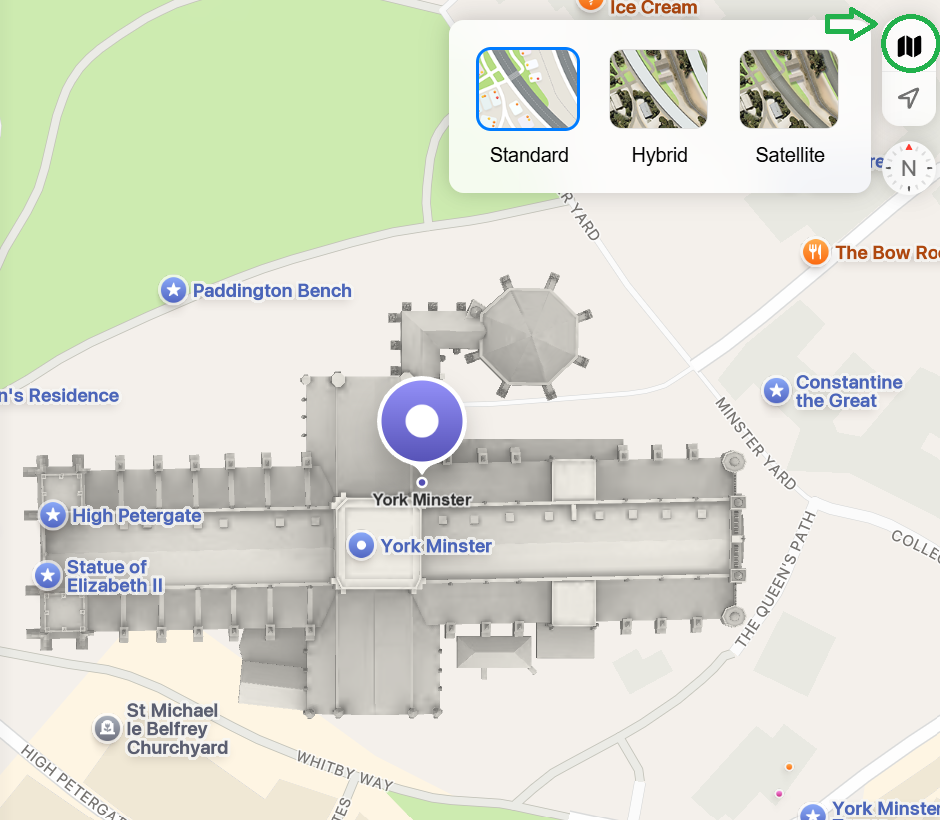
**2. Switch Map Views by toggling between map and satellite view. Use “Look Around” (where available) for street-level imagery.**
**3. Zoom in to examine buildings and landmarks.**
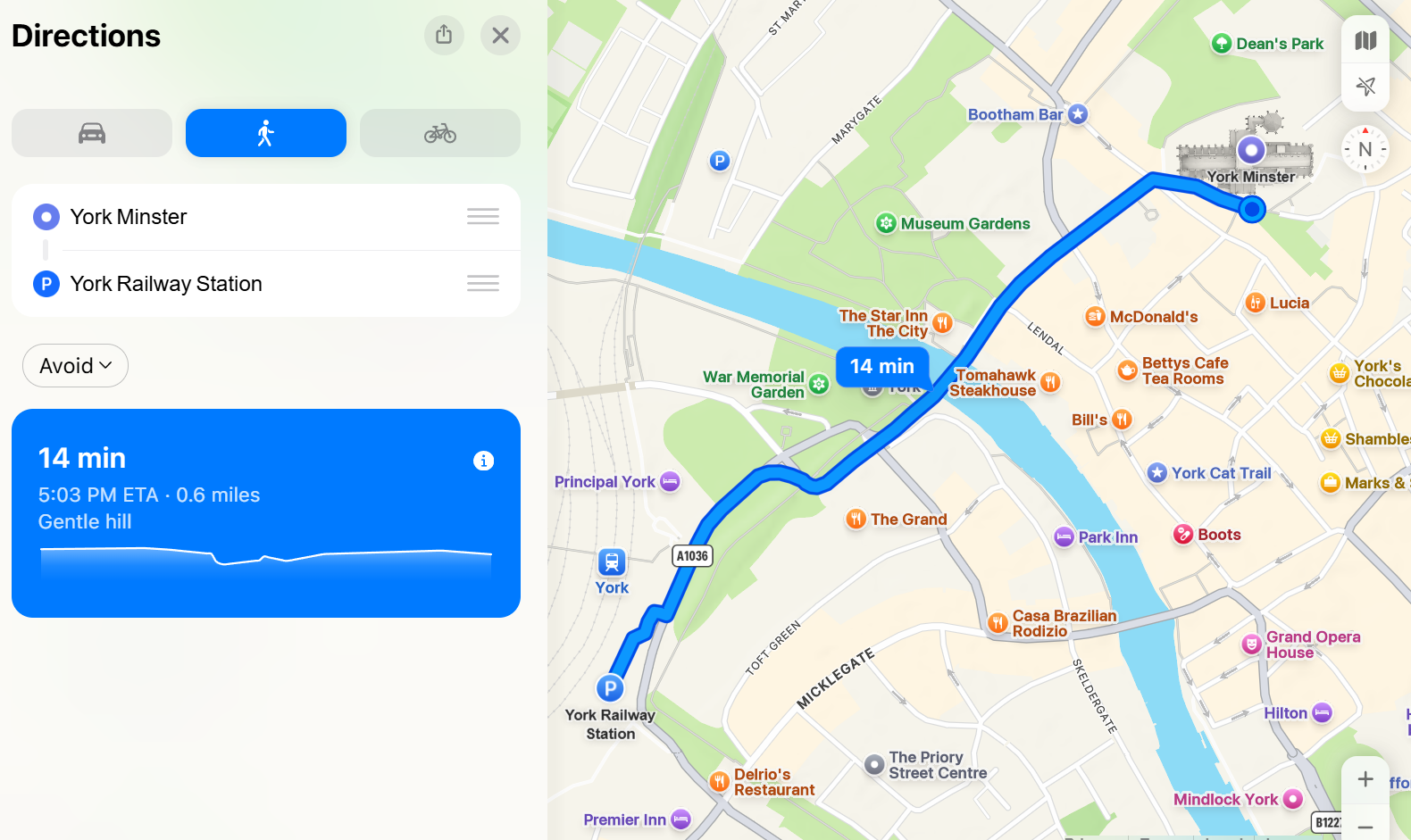
**4. Use the directions tool to calculate routes and distances.**
### Cost:
* [ ] Paid
* [ ] Partially Free
* [x] Free
## Data Processing
### Account required:
* [x] Yes
* [x] No
No (basic browsing and searching).
Yes (for saving places, syncing across devices, personalised features).
### Cookies:
One cookie stores anonymous session data to manage and measure your visit, while the other records your regional setting.
### Use in Reporting
Apple Maps can support reporting by verifying addresses and landmarks, checking proximity between locations, analysing road layouts and infrastructure, reviewing satellite imagery, and comparing street-level visuals with user-generated content.
| **Capabilities** | **Limitations** |
| ------------------------------------------------------ | ---------------------------------------------- |
| Global mapping coverage. | Some regions may have less detailed data. |
| Satellite imagery. | Imagery may not be fully up-to-date. |
|
Street-level imager (“look around”).
| Street-level imagery not available everywhere. |
| Real-time traffic data. | Limited historical imagery access. |
| Business listings and place information. | Best experience on Apple devices. |
### Summary
Apple Maps is a free, user-friendly digital mapping service that provides maps, satellite imagery, directions, and traffic data. It’s useful for navigation and for verifying locations and geographic details in reporting and investigations, however works best when used alongside other mapping tools.
### Ownership
Apple Maps is owned by Apple Inc, now a publicly traded company (owned by its various shareholders including The Vanguard Group, Blackrock and Berkshire Hathaway, along with millions of individual investors worldwide.) Apple was initially created by Steve Jobs, Steve Wozniak and Ronald Wayne in California, 1976.
### Ethical Considerations:
* Be mindful of privacy when analysing residential properties.
* Avoid publishing sensitive location details unnecessarily.
* Consider that imagery may be outdated and cross-check findings with additional sources where possible.
### Related Tools:
* Google Maps
* Bing Maps
* Waze
* [Baidu Maps](/osint-tools/baidu-maps.md)
#### Sources: