> For the complete documentation index, see [llms.txt](https://tools.osintnewsletter.com/llms.txt). Markdown versions of documentation pages are available by appending `.md` to page URLs; this page is available as [Markdown](https://tools.osintnewsletter.com/osint-tools/who-posted-what-facebook-tool.md).
# Who Posted What? Facebook Tool
Tool Description : A non-public Facebook keyword search tool that allows you to search keywords on specific dates.
| **Who Posted What? Facebook Tool** | **Quick Overview** |
| ---------------------------------- | ------------------------------------------------------------------------------------------------------------------------------------------------------------------------------------------------------------------------------------------------------------------------------------------------------------------------------------------------------------------------------------------------------------------------------------- |
| URL | |
| What it does | A keyword search tool that enables users to track content by keyword and date, providing insights into trends, discussions, and the spread of specific topics. |
| How to use it |
Access the URL on your web browser, logging in with your Facebook account (or use API access). Enter the post URL or post ID you want to track, or search specific keywords on a specific day/month/year, time range or location. The tool will display detailed post data including who shared it, timestamps and interaction numbers.
Note: when you click through, it will take you through via your Facebook page.
|
| Cost | Free |
| Account required | Yes - Facebook |
| Cookies | Yes - Cloudflare bot-management/security cookie & visitor tracking cookies. |
| Ownership | Idea by [Henk van Ess](https://twitter.com/henkvaness) (Dutch OSINT expert), developed by [Daniel Endresz](https://twitter.com/danielendresz) and [Dan Nemec](https://twitter.com/djnemec), GUI by Tormund Gerhardsen. |
| Use in Reporting | Useful to track post origins, monitor keyword-based trends, and verify content across Facebook |
### **What does Who Posted What do?**
The Who Posted What Facebook tool is a keyword-based search tool that allows users to find Facebook posts containing specific terms within selected date ranges. When a keyword is entered, the tool displays posts that match the search, along with information about who shared them, when they were posted, and basic engagement metrics such as likes, comments, and shares.
Posts that are not visible to your account, such as private posts or content outside your network, will not appear in the results. The tool does not provide access to full platform-wide data, and visibility is determined by the original post’s privacy settings.
**The lowdown:** The tool lets users track content and monitor trends on Facebook by keyword and date, helping map the spread of posts and identify original posters, but you must be logged into a Facebook account.
### How to Use:
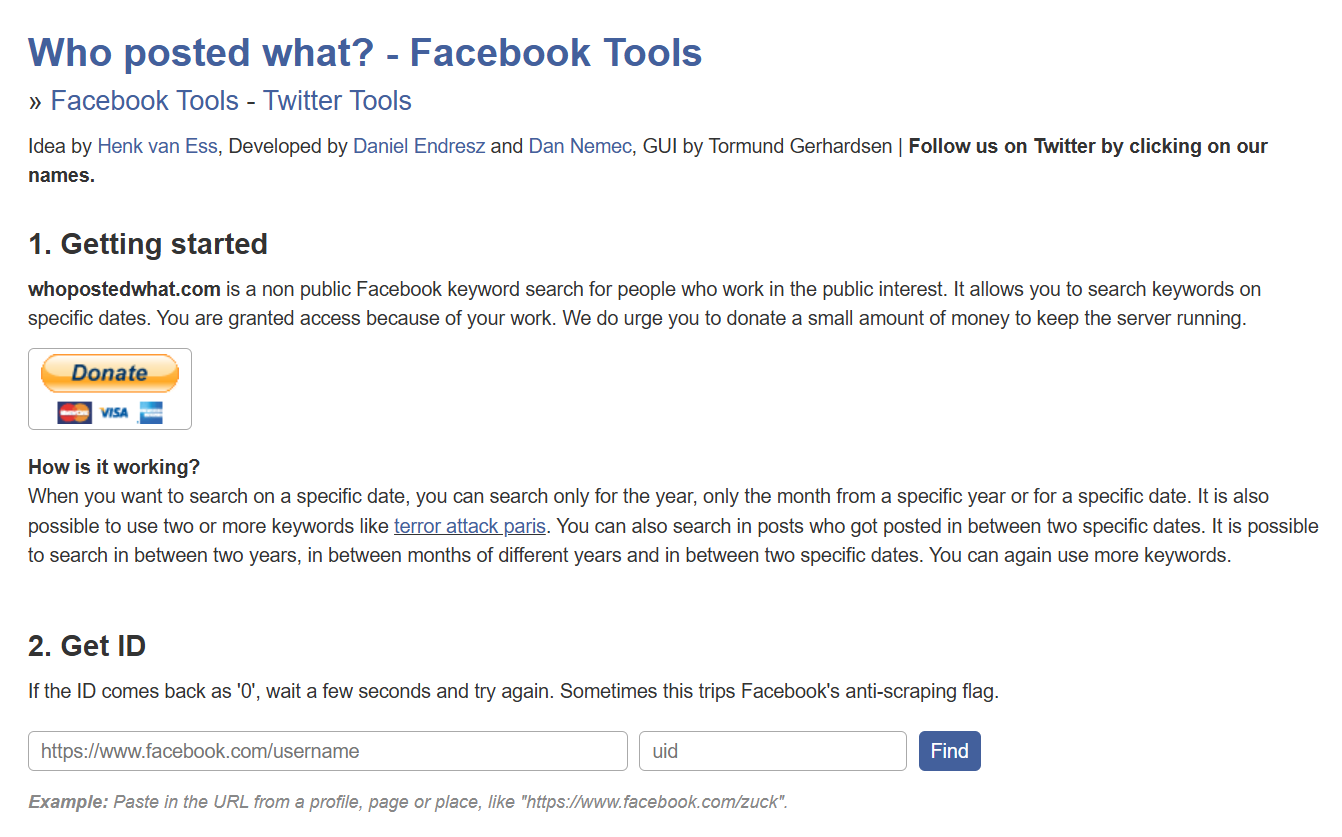
1. **Head to the** [**Who posted what URL**](https://whopostedwhat.com/) **on your web browser, logging into your Facebook account. It should look like the below:**
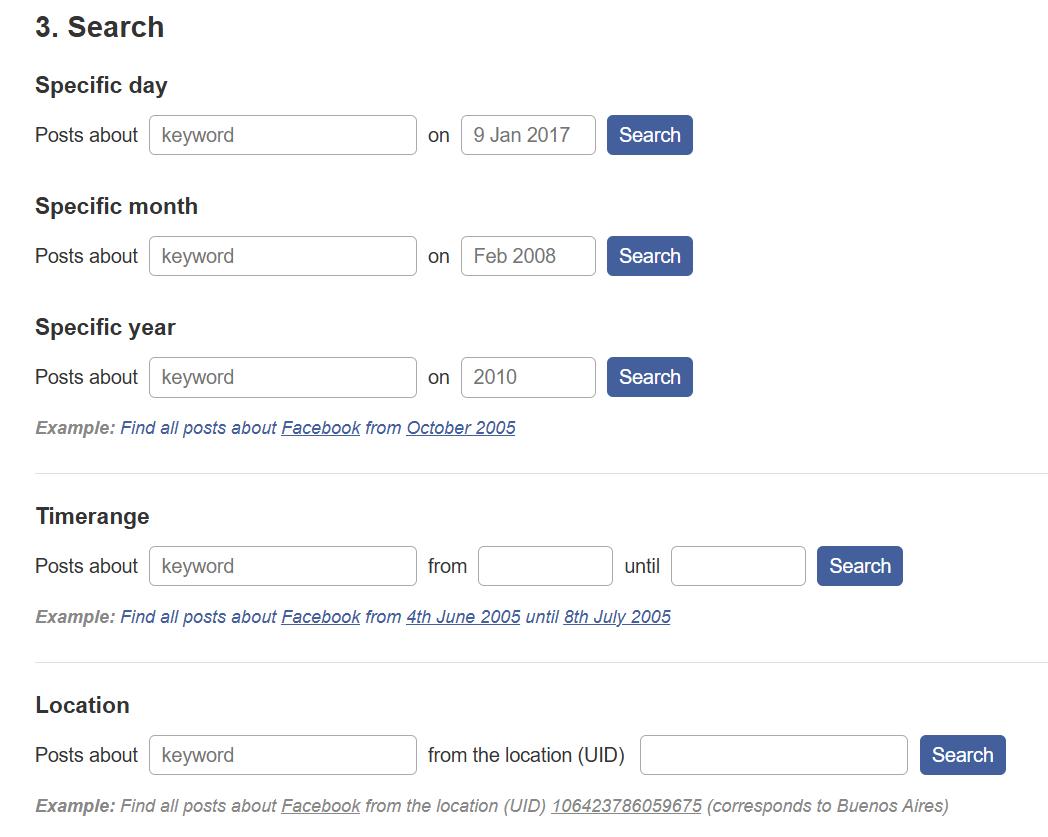
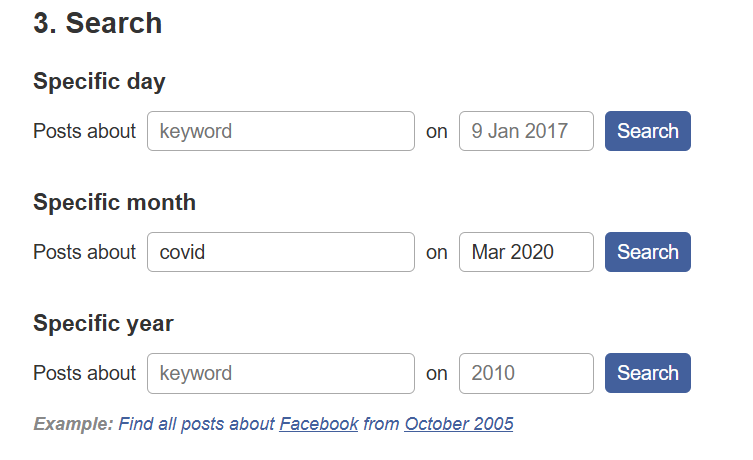
2. **Either enter in a specific Facebook profile URL if you’re searching for posts from a specific user, or search a specific keyword on a specific day, month, year, time range or location, as in the below:**
*For example, we used the search term ‘covid’ in March 2020 which produced a wide range of results (as expected).*
3. **You can also search a specific keyword from a specific user using the search option here:**
4. **Once you’ve decided on your search parameters, simply click ‘Search’ and you’ll be redirected to Facebook and the content you’re looking for. The tool will display detailed post data, including who shared it, timestamps, and interaction numbers.**
### Cost:
* [ ] Paid
* [ ] Partially Free
* [x] Free
## Data Processing
### Account required:
* [x] Yes
* [ ] No
### Cookies:
The ‘Who posted what? Facebook tool’ appears to use a Cloudflare bot-management/ security cookie, along with two visitor tracking cookies.
**The bottom line:** For most general OSINT tasks, using this tool is low risk. For high-risk or sensitive investigations, additional OPSEC measures should be considered.
### Use in Reporting
This tool is beneficial in creating detailed reports about the spread of content across Facebook. It's ideal for:
* Investigative reporting: Identifying who posted what and tracking its spread.
* Legal compliance: Verifying the origin of posts for legal purposes.
* Social media management: Monitoring specific content or campaigns.
| **Capabilities** | **Limitations** |
| --------------------------------------------------------------- | --------------------------------------------------------------------------------------------------------------------------------------------------------- |
| Identifies who posted specific content. | Requires a Facebook account to access detailed information. |
| Provides engagement metrics including likes, comments & shares. | Historical post searches may be restricted e.g. older posts might not be retrievable depending on Facebook’s API limits or tool restrictions. |
| Tracks the sharing history of posts. | Can only access posts that your account can see (public posts or posts visible to your network). Cannot view posts from groups/private Facebook accounts. |
| Helps identify trends and spread of content. | Searches must use exact keywords meaning contextually relevant posts may be missed. |
### Summary
The Who posted what tool can support the discovery and situational awareness phase of an OSINT workflow by allowing users to search for posts by keyword and date, identify who shared them, and view basic engagement metrics to understand content spread.
However, it’s limited to posts visible to your account and requires exact keywords, meaning it only surfaces content that’s accessible within your network and does not provide access to private posts or platform-wide data.
### Ownership
Idea by [Henk van Ess](https://twitter.com/henkvaness) (Dutch OSINT expert), developed by [Daniel Endresz](https://twitter.com/danielendresz) and [Dan Nemec](https://twitter.com/djnemec), with Graphic User Interface (GUI) by Tormund Gerhardsen. (Limited information on the latter three).
### Ethical Considerations:
* Only access and report on posts that are publicly visible/accessible through our account. Don’t attempt to bypass privacy restrictions.
* Clearly state how data was collected and interpreted to avoid misleading conclusions.
* Handle any collected data responsibly to prevent unintentional exposure of user identities.
### Related Tools:
* Social Searcher
* Meta Content Library
#### Sources: